THE ADAPTER GUIDE
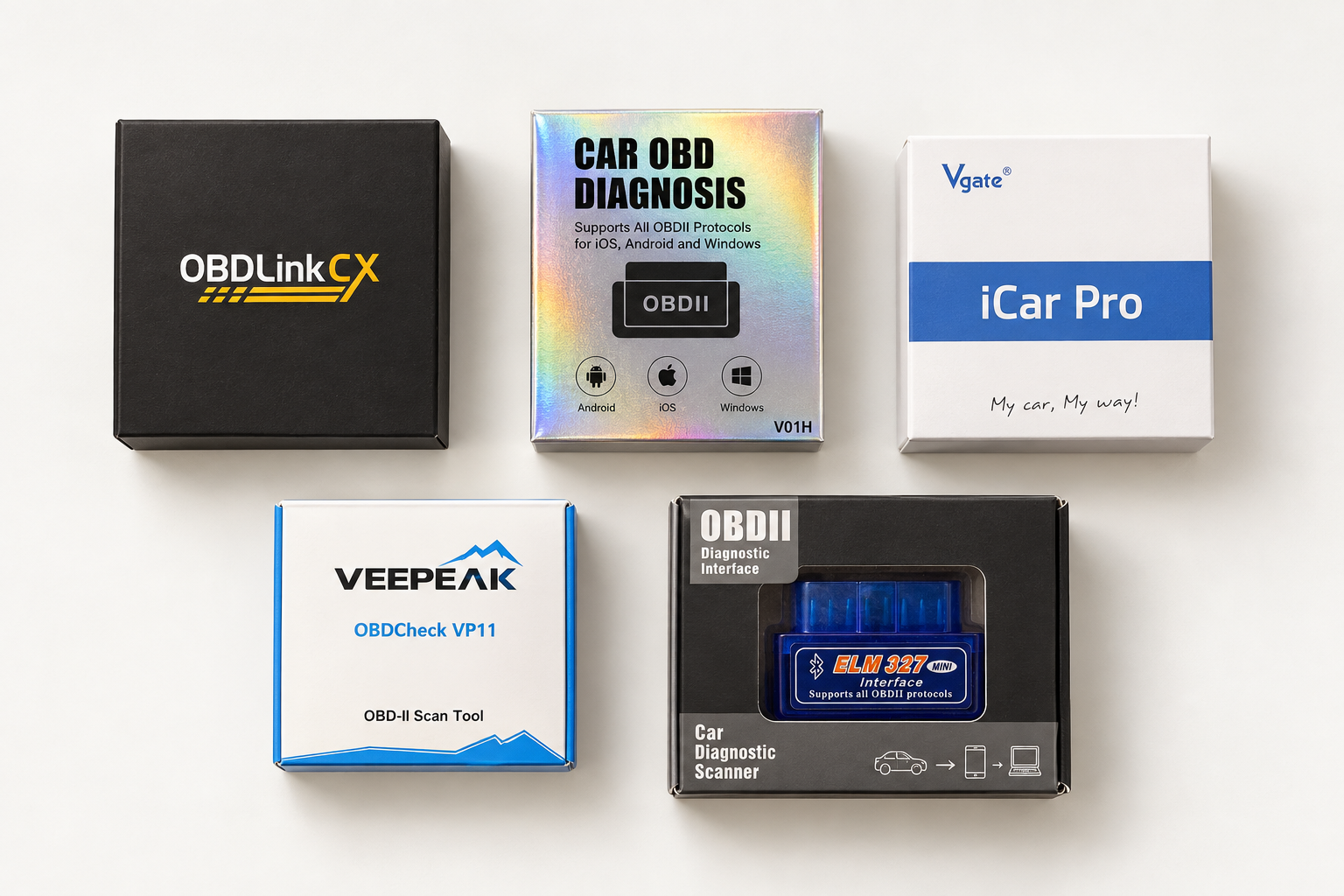
Small adapter.Meet your car. Connect your car to Scout. Start with one of these four tested adapters and the phone you already use.
Find your adapter ↓
FROM OUR WORKBENCH Real hardware. Tested with Scout.
See the four confirmed models below. 01 / CHOOSE YOUR CONNECTION
Start with your phone. iPhone? Pick a model with BLE.
CX
Look for CX on the box. Other OBDLink models have different connections and features.
Connection details for OBDLink CX + OBDCheck BLE
Choose OBDCheck BLE. The similar-looking VP11 does not work with iPhone.
Connection details for Veepeak OBDCheck BLE + iCar Pro BT 4.0
Choose the BT 4.0 version. BT 3.0 and Wi-Fi are different products.
Connection details for Vgate iCar Pro BT 4.0 + OBDCheck VP11
iPhone Not compatible For Android phones. Choose one of the other three models if you use an iPhone.
Connection details for Veepeak OBDCheck VP11 + Match the full model name when buying. A generic “ELM327” label does not identify one of these tested adapters.
02 / KNOW WHAT TO EXPECT
The adapter connects. Tested hardware is the starting point. Available readings depend on your car and its diagnostic systems.
Engine fault codesUnderstand the warning Read supported check-engine codes. A code gives you a starting point, not a confirmed repair.
Live readingsSee what your car reports View supported values such as coolant temperature. Different cars report different readings.
Onboard monitor resultsVehicle-dependent Mode 06 results were confirmed with OBDLink CX in our evaluation. Coverage varies by vehicle.
ABS, airbags & service resetsSeparate capabilities These can require vehicle-specific access. A tested adapter alone does not establish Scout support for them. 03 / BEFORE YOU BUY
Three things to match. 01 Your phone. iPhone needs a compatible BLE model. VP11 is Android only.
02 Your adapter. Check the full model name and version, not just the brand on the box.
03 Your car. Check its diagnostic support. An OBD port alone does not guarantee every reading.
START WITHOUT THE HARDWARE
Your car already has character. Give it a name and a look. No adapter needed.
Make your car →